This week’s picks focused on speed and practicality: quick translation, faster tool execution, visible token usage, self-hosted PDF editing, AI email...
This week’s picks focused on speed and practicality: quick translation, faster tool execution, visible token usage, self-hosted PDF editing, AI email drafting, and interactive visuals in chat. Six tools made the cut.
Editor’s Picks#
Six tools worth a look.
@h4nn1b4l’s EasyLang#
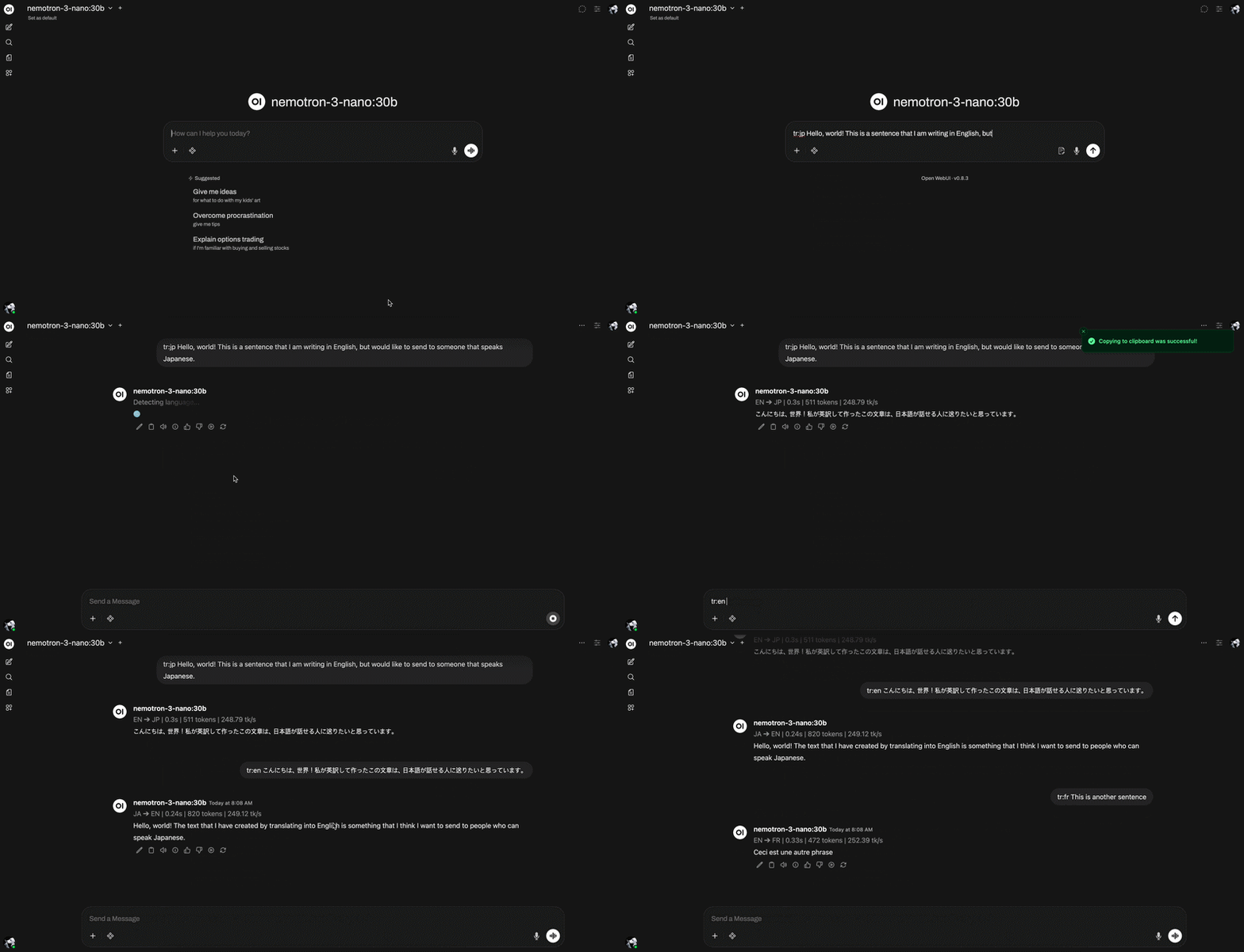
You’re mid-chat, someone drops a paragraph in another language, and now you’re context-switching to a translator, or asking the model with a long prompt and getting extra explanation you didn’t want.
EasyLang adds a translation filter that turns text into your target language immediately, without boilerplate.
Best for quick “translate this” moments where you want the output, not a lecture.
@skyzi000’s Parallel Tools#
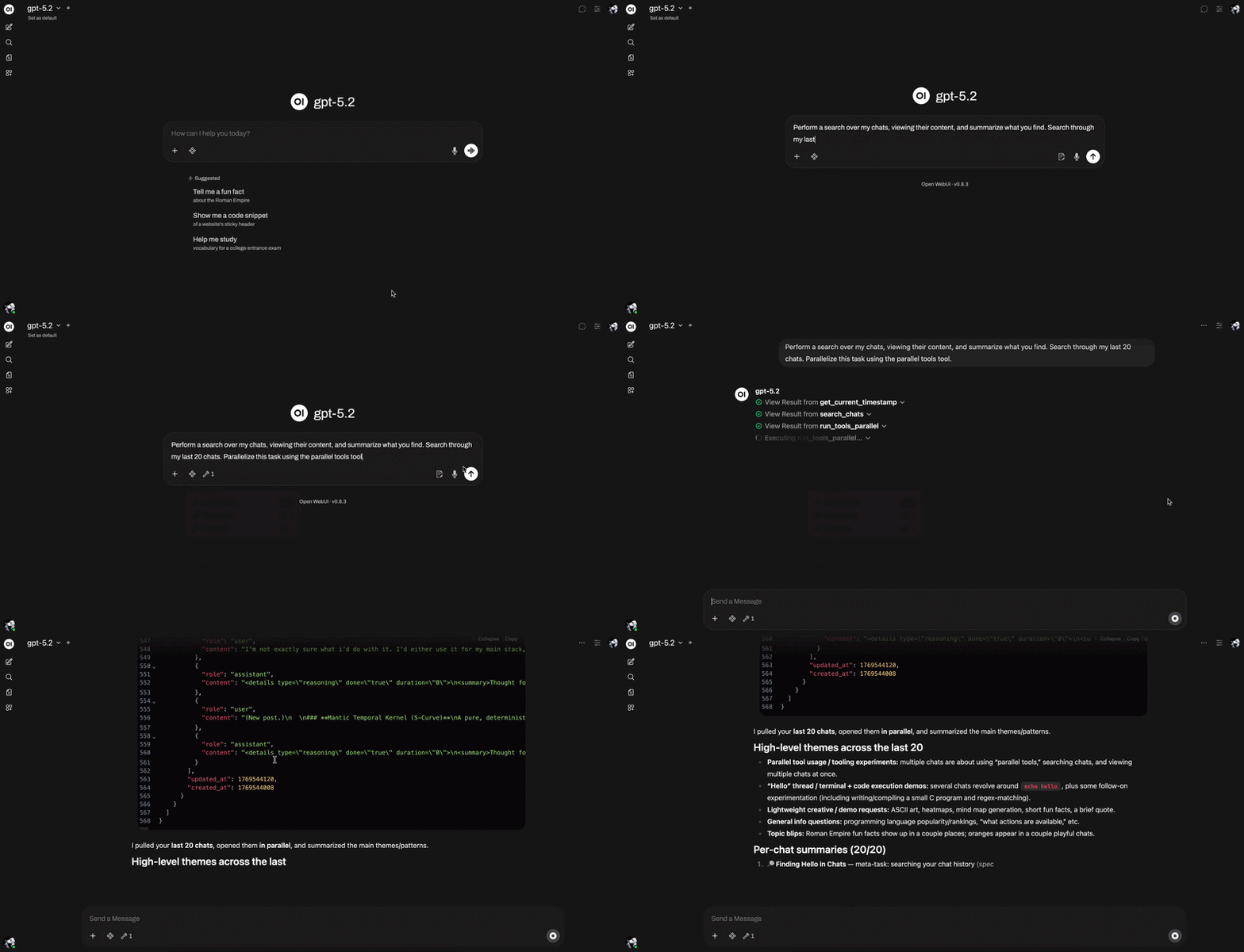
If your workflow depends on tools, sequential calls can become the bottleneck—especially when the same action needs to run multiple times.
Parallel Tools lets the model run multiple tool calls at once, so batches finish in a fraction of the time.
Use it for multi-step automations, data pulls, or any task where “do this 10 times” shouldn’t mean “wait 10 times.”
@smetdenis’ Token Usage Display#
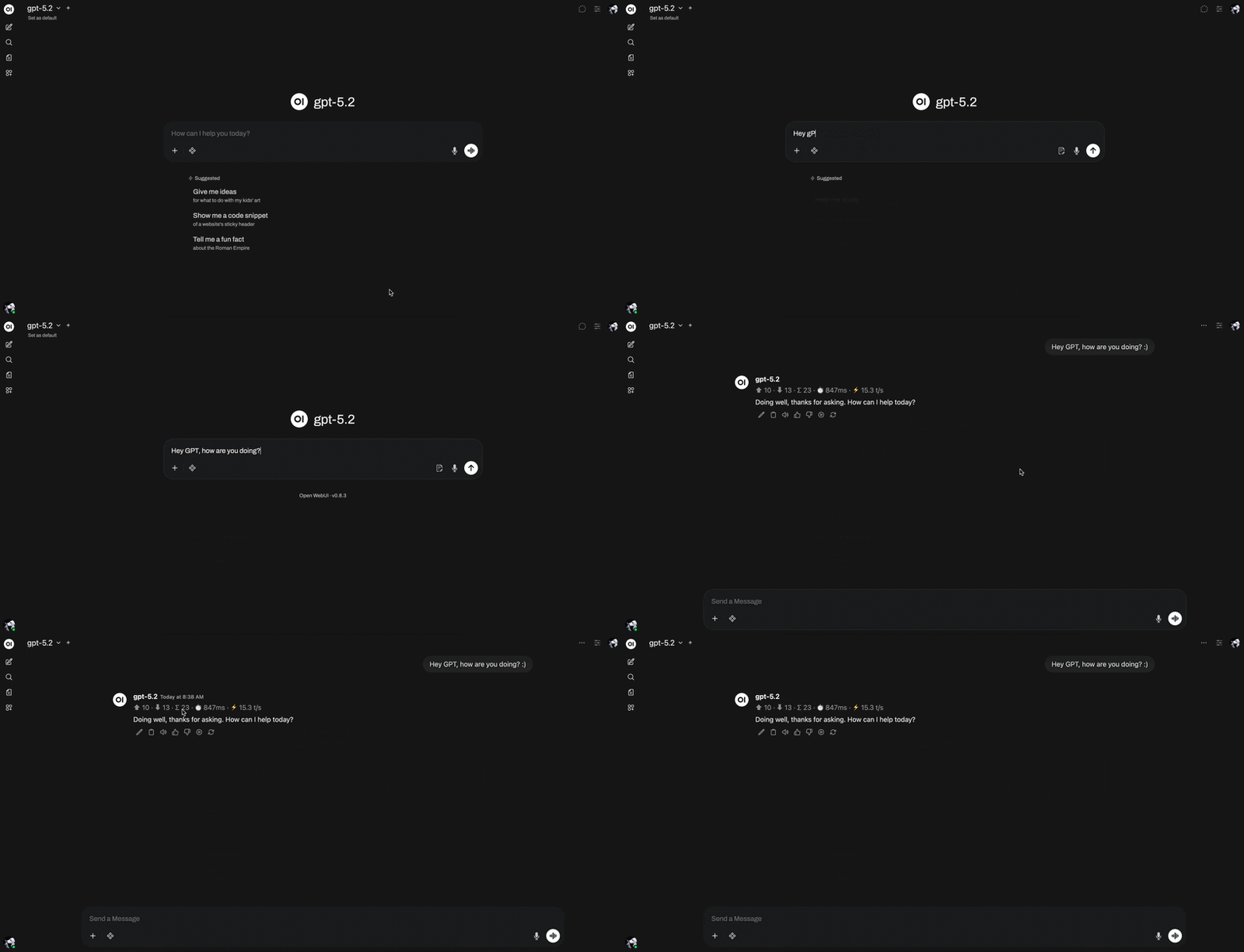
Token usage is easy to ignore until a chat gets slow, expensive, or hits model limits.
This filter adds a small per-message token counter, so you can see usage as you go.
Ideal for long sessions, prompt iteration, and keeping costs predictable.
@jeffgranado’s PDF Tools#
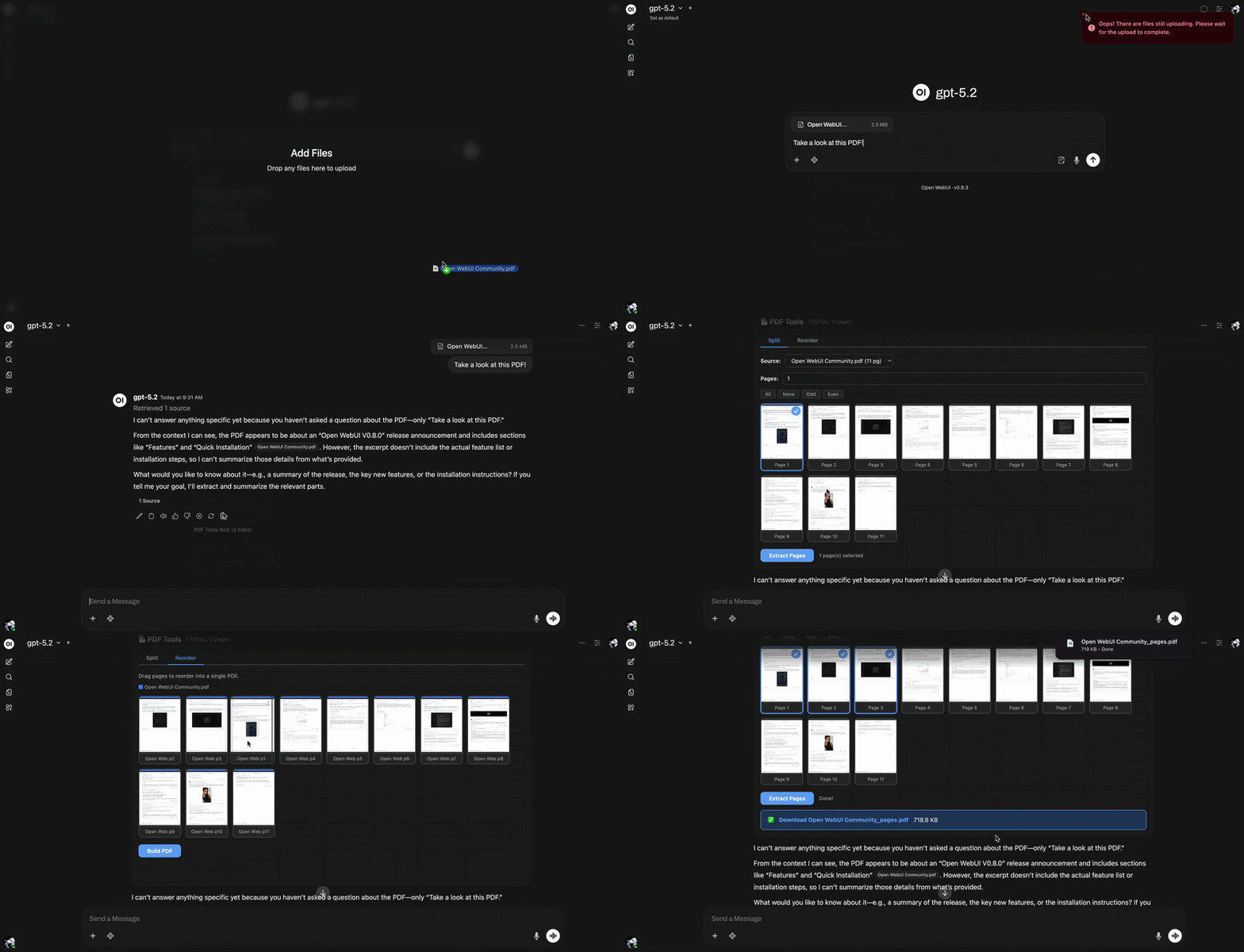
Need to extract a page, merge files, or reorder a deck? Too often that means switching between desktop apps, web converters, and third-party upload sites.
PDF Tools adds a single-file Open WebUI Action that opens a Rich UI panel right inside chat. All processing runs client-side in the browser, and downloads the result—no extra server, no build step, and no data round-trip beyond the initial file fetch.
Best for quick PDF cleanup when you want the output immediately and don’t want to ship documents off-machine.
@clsc’s E-Mail Composer Tool#
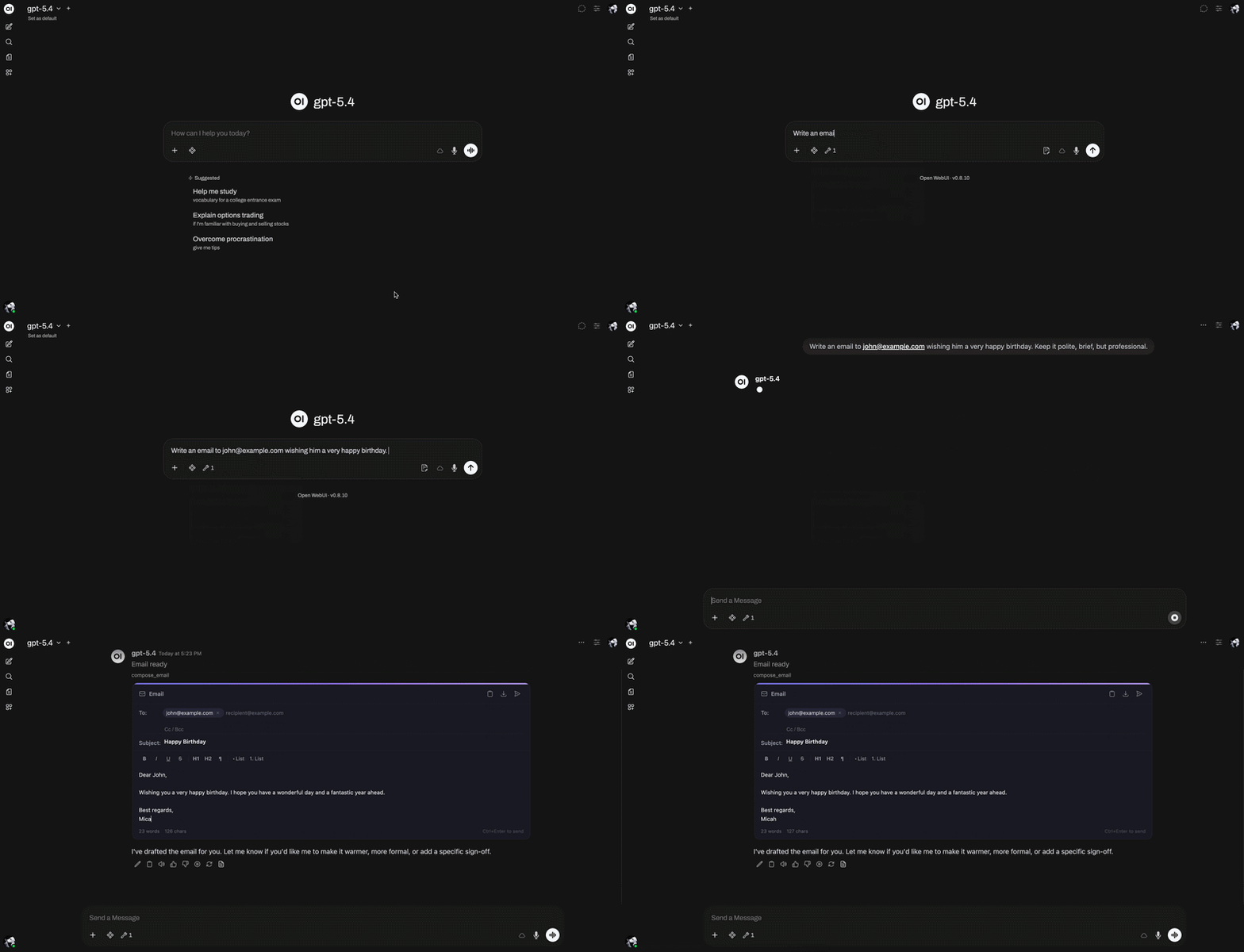
You tell the model what needs to be sent, who it’s for, and what tone to use—then still have to format the subject, fill in CCs, clean up the draft, and move it into your mail app.
Email Composer adds a Rich UI email card directly inside chat, so the model can draft a complete message from scratch: recipients, subject, CC, BCC, priority, and a formatted body you can edit before sending or exporting.
Best for quick outbound emails when you want “write and prep this for send” instead of “give me a draft and I’ll do the rest.”
@clsc’s Inline Visualizer#
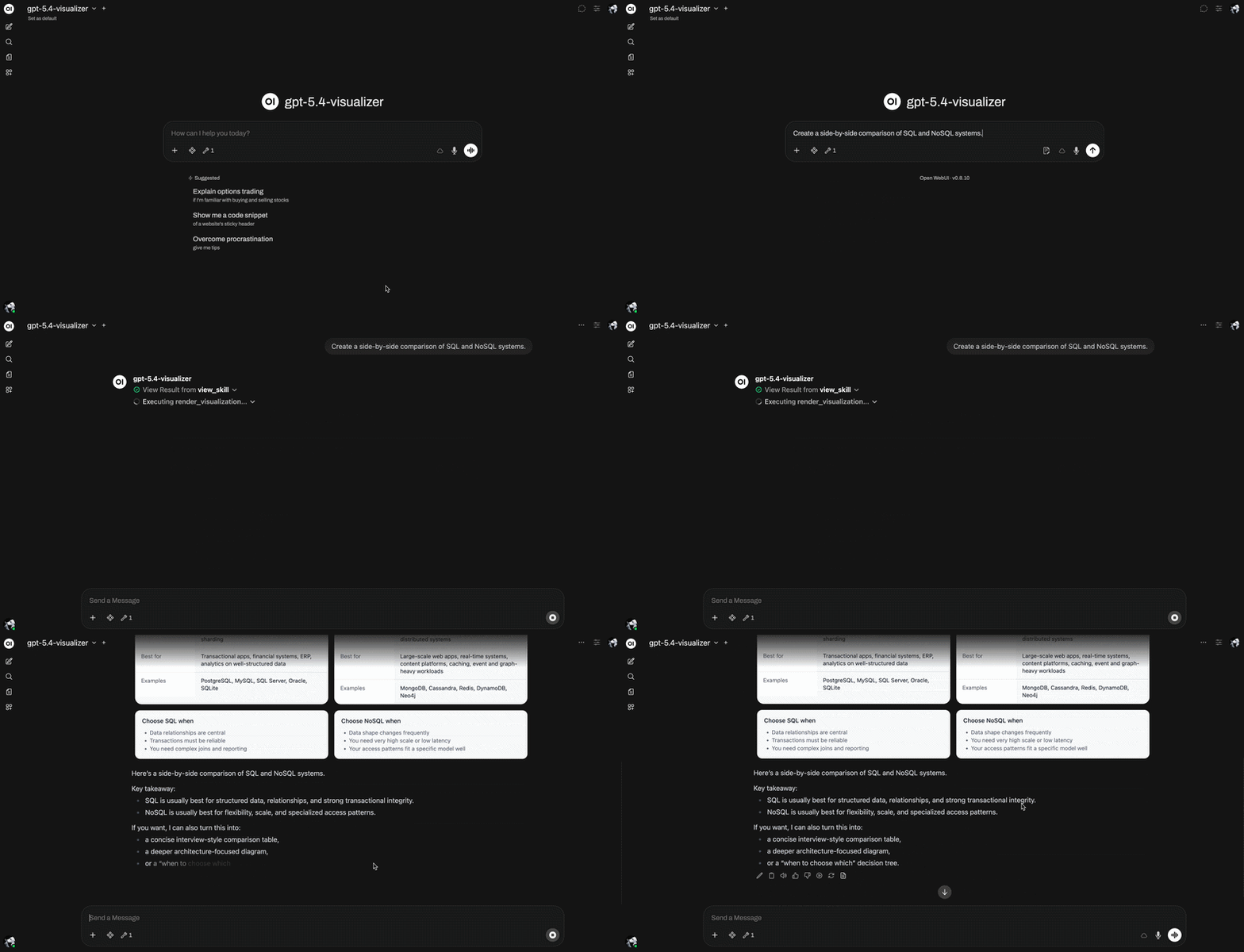
Anthropic made interactive in-chat visuals feel like the future; Inline Visualizer brings that same idea to Open WebUI for everyone.
Your model can build diagrams, quizzes, forms, and mini apps directly in chat—and users can click them, explore them, and send responses back to the AI.
Best for turning any model into an interactive workspace, not just a text generator.
From the Community#
@clsc’s Standalone Pruning Tool for Open WebUI#
Not a UI tweak—this is a maintenance tool for Open WebUI. It removes stale chats, inactive users, orphaned records, and leftover vector database entries that can accumulate over time.
It can run through an interactive wizard or a cron-friendly CLI, and supports SQLite, PostgreSQL, ChromaDB, PGVector, Milvus, and Qdrant.
Did You Know?#
Open WebUI Works Natively with Anthropic's Claude Models#
If you've been using Claude through third-party proxies or workarounds, you can drop them. Anthropic now offers an OpenAI-compatible API endpoint, which means you can point Open WebUI directly at Claude, Sonnet, Opus, Haiku, the full lineup, using the same OpenAI API connection type you already know.
Just add https://api.anthropic.com/v1/ as an OpenAI-compatible endpoint in your Open WebUI settings, plug in your Anthropic API key, and Claude models show up alongside everything else. No custom pipe, no extra middleware. It works because Anthropic's endpoint speaks the same protocol Open WebUI already supports.
Worth setting up if you want Claude as a first-class option in your model switcher without any extra infrastructure.
That's It for This Week#
Get involved:
- Install this week's picks — try EasyLang, Parallel Tools, or Token Usage Display
- Join the leaderboard — sync your stats and see where you land
- Share what you've built — we review every post for the newsletter
We'll be posting more updates soon. Until then, thanks for building with us. See you in the community.
—The Open WebUI Team